Small Details, Big Tell: How Ink, Metal, and Scars Expose Weak AI Nudes
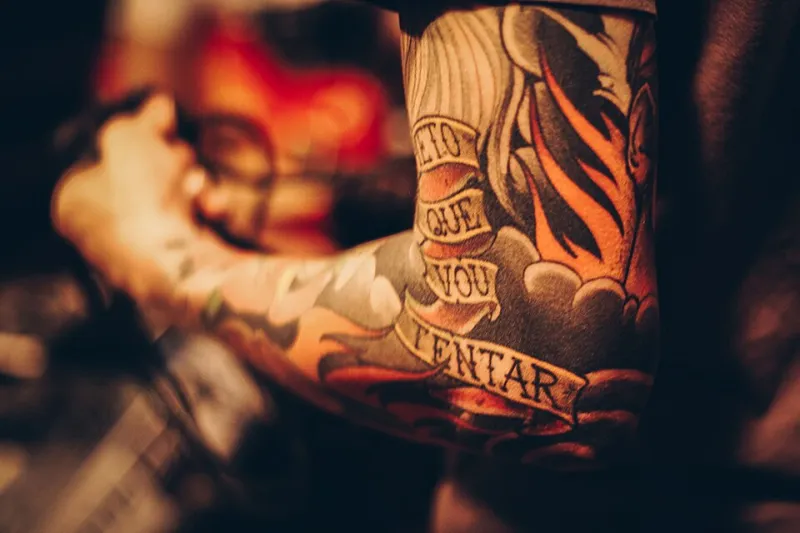
Photo: Matheus Ferrero matheusferrero, CC0, via Wikimedia Commons
Most people judge an AI-generated nude the way they judge a TV: by size. More pixels, sharper face, smoother skin — must be better, right? Not even close. The fastest way to separate a solid AI undress tool from a glorified filter is to stop staring at the big picture and start zooming in on the small stuff. Tattoos. Rings. Piercings. Scars. Moles. The weird little details that make a body look like a specific person instead of a generic mannequin.
Those details are hard. They require a model to understand geometry, material, and identity all at once. When a platform gets them wrong, you don’t just get a weird-looking earring — you get a clue about how the whole operation is built.
The Pixel Count Trap
A 4K export can still have a ring that looks like a gummy candy. Upscaling doesn’t fix structural nonsense; it just makes the nonsense sharper. A 12-megapixel source photo with clean tattoo linework will usually beat a 48-megapixel source with motion blur and heavy filters every time.
This matters because AI undress tools are essentially rebuilding parts of an image they can’t fully see. The model has to infer what’s underneath clothing, then blend that inference back into the original photo. Small, high-contrast details are where that blending process either holds up or falls apart.
Why Ink Is a Stress Test
Tattoos are basically a pop quiz for image models. They have structure: line weights, curves, symmetry, lettering, filled areas. They also sit on skin that bends, stretches, and catches light differently depending on pose.
A good AI transformation preserves the geometry of a tattoo through those changes. A weak one smears the ink, duplicates a motif, invents new shapes, or turns lettering into alien script. Fine-line tattoos often vanish entirely. Blackwork turns into muddy gray blobs. Color tattoos lose their saturation or bleed outside the lines.
If a platform can’t keep a tattoo stable, it’s probably not doing careful segmentation or identity preservation. It’s painting over the problem and hoping you don’t zoom in.
Jewelry Is the Melting Point
Rings, necklaces, bracelets, and piercings are tiny reflective objects with sharp edges. They’re also a nightmare for AI models because they require an understanding of 3D shape and material.
Common artifacts include rings that merge into fingers, extra bands appearing out of nowhere, necklace clasps disappearing, earrings migrating up the earlobe, and piercings that multiply or vanish. Metal highlights often turn plastic-looking. Chains become spaghetti.
This is more than a cosmetic issue. Jewelry tells you whether the model is actually parsing the scene or just hallucinating texture. A platform that melts a wedding band is a platform that doesn’t understand the photo it’s working on.
Scars, Moles, and the Airbrush Problem
AI tools love smooth skin. Too much. Scars get erased, moles drift, freckles clump together, stretch marks disappear. Some platforms add a generic “skin texture” effect that looks like digital noise rather than actual pores.
Real skin is asymmetric and specific. A scar on the left knee stays on the left knee. A mole above the lip doesn’t migrate to the cheek. When those details move or disappear, the image stops feeling like a person and starts feeling like a doll.
The airbrush default is also a quality signal. It usually means the model is optimizing for a beauty-filter look rather than fidelity to the source. That’s a choice — and not a great one if you care about realism.
What This Says About the Platform
Artifacts aren’t just funny glitches. They’re evidence of how a platform is built. Preserving tattoos, jewelry, and scars requires serious work: segmentation, inpainting, identity embedding, maybe manual review. A platform that nails those details is likely investing in its pipeline.
A platform that botches them may also be sloppy elsewhere — consent checks, data handling, deletion policies, billing transparency. You can’t assume one bad ring means the whole site is a scam, but it’s a useful proxy. If the tool can’t keep a necklace clasp intact, why would it handle your upload carefully?
Source Photos That Give You a Fighting Chance
You can’t fix a weak model with a better selfie, but you can reduce unnecessary artifacts. Start with sharp focus and even lighting. Avoid heavy filters, low-res screenshots, and extreme angles. If a tattoo matters, shoot it straight on with diffuse light. Keep jewelry simple unless you want to test the platform’s detail handling. Skip photos that are already edited or compressed to death.
And test with a small credit pack before committing. Run one image, zoom to 200%, and compare the source and output side by side. Check tattoo line continuity, text legibility, ring shape, piercing count, and scar placement. If the details fall apart, the platform probably will too.
A Quick Pre-Purchase Checklist
Before you pay for anything, ask: Does the preview preserve ink edges? Do rings keep their shape? Are piercings in the same spot? Did scars and moles survive? Is the skin texture specific or generic? Are there duplicate fingers or merged jewelry? Does the platform explain how it handles uploads and consent?
The small details are the honesty layer. In 2026, with AI undress tools everywhere, they’re a better filter than any marketing page. Use ink, metal, and scars as your reality check — and only upload photos you have the rights to use.