Your Source Photo Is the Whole Ballgame: A Lighting-and-Pose Playbook for Cleaner AI Transformations
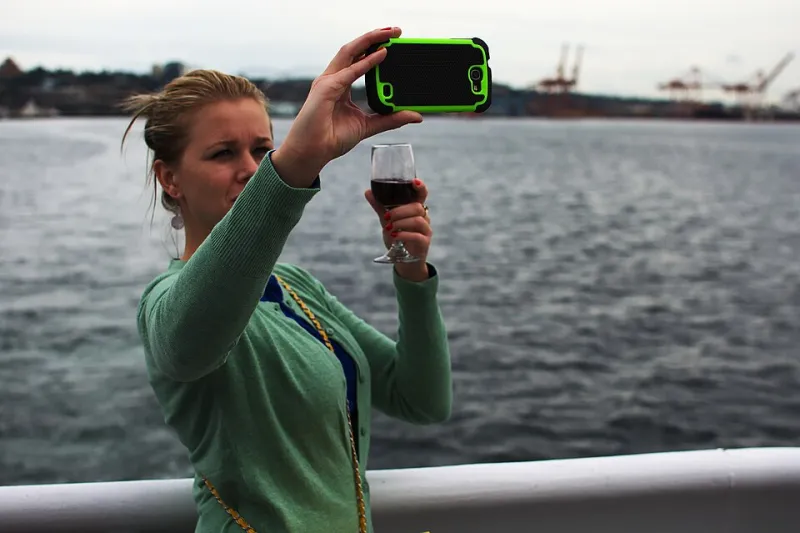
Photo: Maëlick from Charleroi, Belgium, CC BY-SA 2.0, via Wikimedia Commons
Most people blame the AI when a transformation comes back looking off. Fair enough — sometimes the model really does fumble the assignment. But in a lot of cases, the bigger problem is the photo that got uploaded in the first place. A blurry, harshly lit, cluttered phone snap is basically a curveball. A clean, well-lit source image is a fastball right down the middle.
This is the part of the process that feels less like typing prompts and more like thinking like a photographer. You do not need a DSLR or a studio. You just need to understand what the tool is looking at: edges, shadows, fabric folds, body contours, and background noise. Here is how to set your source photo up for cleaner, more believable results on AIUndresser and similar adult image platforms.
Start With the Light, Not the Prompt
Lighting is the first thing a photographer fixes and the last thing most AI users think about. Directional light tells the model where the body ends and the background begins. Flat, even light makes skin and fabric easier to read. Harsh overhead light creates muddy shadows under the chin, across the chest, and around the waist — exactly the areas an AI transformation has to reconstruct.
A simple window is your best friend. Stand facing a window during daylight, or angle your body about 45 degrees toward it. That gives you soft directional light with gentle shadows instead of the nuclear glow of a bathroom vanity. If you are shooting at night, a single lamp placed to one side beats the overhead "boob light" that comes standard in way too many American apartments.
Before-and-after style: a photo taken under a harsh ceiling light often produces waxy skin, crushed shadows, and blurry fabric edges. The same pose near a window usually gives the model cleaner separation between clothing and skin, more natural skin tones, and fewer weird artifacts around straps and necklines.
Pose and Camera Angle: Give the Model Something to Work With
Extreme angles are fun on Instagram and miserable for image transformation. A dramatic low-angle shot can make legs look great, but it also compresses the torso and hides the waistline. A high-angle selfie can distort proportions. The model is trying to infer a three-dimensional body from a two-dimensional image, so the clearer the silhouette, the better.
A relaxed, mostly neutral pose works best. Arms slightly away from the torso, shoulders down, chin level. Avoid crossed arms, hands pressed over the chest, or twisted poses that fold the body into itself. Those are natural poses in real life, but they create ambiguity that AI tools tend to fill in with guesswork — and guesswork is where artifacts live.
Camera height matters too. Chest-to-eye level is a safe zone. Full-body or three-quarter-body framing gives the tool more context than a tight face-and-shoulders crop. If you crop at the joints — mid-thigh, mid-forearm, right at the waist — the model has less information to work with. Give it the whole shape when you can.
Fabric Is a Signal, Not Just Coverage
Clothing texture sends a lot of signals to the model. Smooth cotton, solid mid-tone colors, and simple silhouettes are easy to read. Chunky knits, busy prints, logos, lace, mesh, and sheer fabrics are harder. That does not mean you can never use them, but expect more weirdness around the edges.
A solid black dress against a dark background can blend into the shadows. A bright white shirt against a white wall can blow out the edges. Mid-tone colors — navy, olive, gray, muted red — tend to hold their shape better. Thin straps, halter ties, and jewelry can also confuse the model because they create tiny lines that look like body edges. If you have a choice, pick the source photo where the clothing has a clear, simple outline.
Before-and-after style: a busy floral top with a ruffled neckline often produces strange blobs around the collar and shoulders. A plain fitted tee in the same lighting usually gives a much cleaner transformation because the model is not trying to decode twenty fabric folds at once.
Background Clutter Steals the Show
Your background is not just decoration. It is data. A messy bedroom, a mirror, a TV screen, a poster with text, or another person in the frame can all pull the model's attention away from the subject. Mirrors are especially risky because they create duplicate edges and reflections. Text is risky because AI tools sometimes try to "continue" patterns that are not actually part of the body.
Keep it simple. A plain wall, a curtain, a clean doorway, or a softly blurred room is plenty. If you are shooting at home, take thirty seconds to move the laundry basket and the Amazon boxes out of frame. The goal is not a professional headshot. The goal is a source image where the subject is unmistakably the main event.
The Usual Artifacts — and How to Spot Them Early
Even with a good source photo, you may see small issues around hands, hair edges, straps, jewelry, teeth, and background lines. That is normal. What you want to avoid is a source photo that guarantees trouble: motion blur, low resolution, heavy beauty filters, and extreme contrast.
If the original image is soft or grainy, the AI has less detail to work with. If it has been through three rounds of Instagram filtering, the skin texture may already be smoothed into plastic. If the lighting is so contrasty that half the body is in shadow, the model is basically guessing. A sharp, well-exposed, lightly edited photo is the best input you can give it.
A Quick Pre-Upload Checklist
Before you upload to AIUndresser, run through this list:
- The subject is an adult, and you have the right to use the image.
- The photo is sharp, well-lit, and not heavily filtered.
- The pose is relaxed, with a clear body silhouette.
- Clothing has a simple shape and minimal logos or busy patterns.
- The background is clean, with no mirrors, text, or other people.
- The image is high enough resolution to see detail.
- You have tried two or three source variations and compared the results.
Final Thought
A good AI transformation is a collaboration between your source photo and the model. You cannot prompt your way out of a bad input every time. Treat the source image like a photographer would — light it, frame it, simplify it — and you will spend less time fighting artifacts and more time getting results that actually look like the person in the photo.
And keep the basics straight: adults only, consent matters, and using someone else's image without permission is not a shortcut. Better inputs make better outputs. That part is true whether you are holding a camera or typing into a browser.